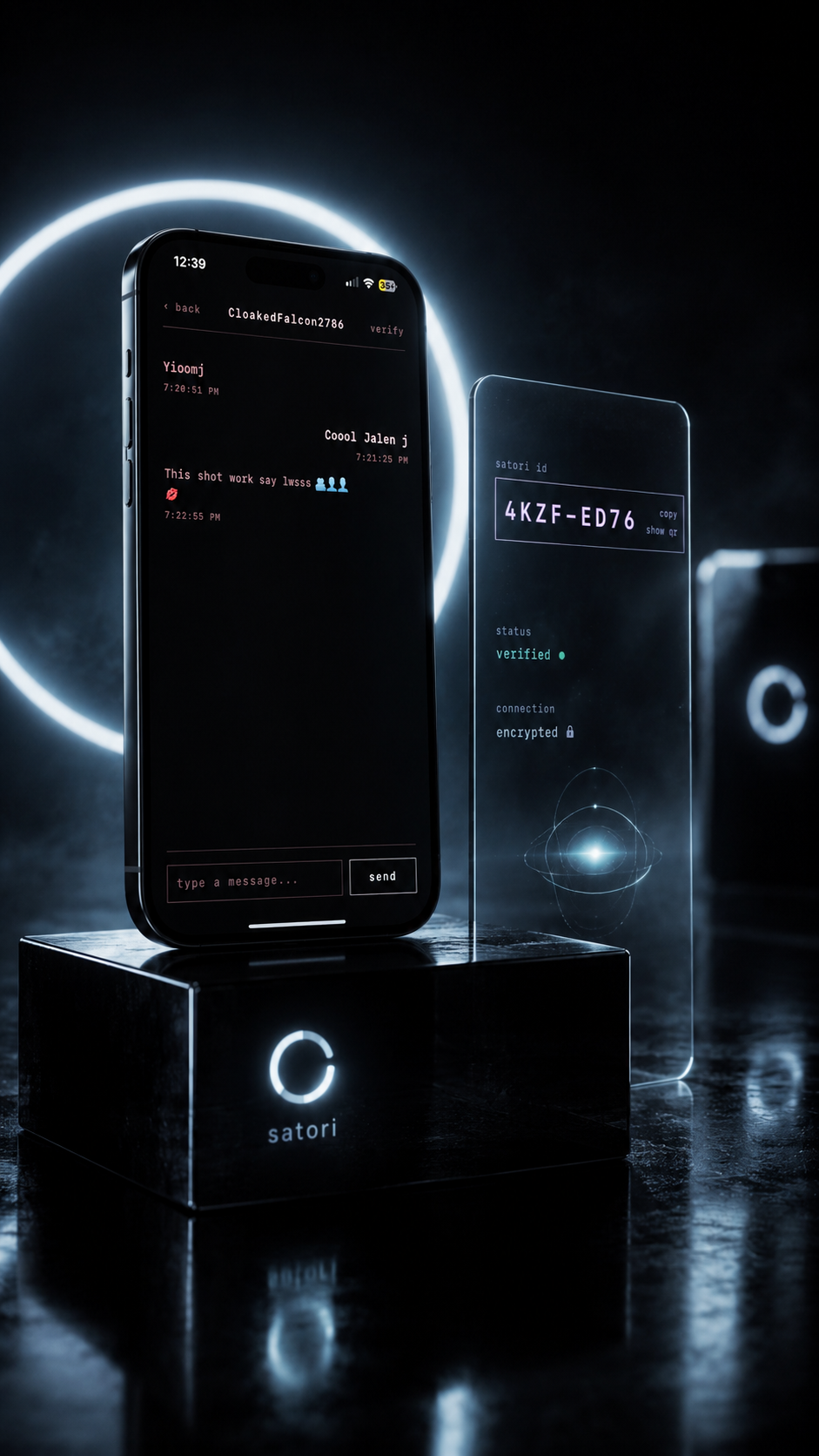
Hiring
Interview before you introduce yourself.
Speak with a recruiter or a candidate before either of you hands over a phone number or a full name.
さとり/private by design
Share your Satori ID.
Not your phone number.
Satori is end-to-end encrypted messaging with no phone number, no email and no account. You get a short private ID, a key that stays on your device, and messages that are encrypted before they leave it.
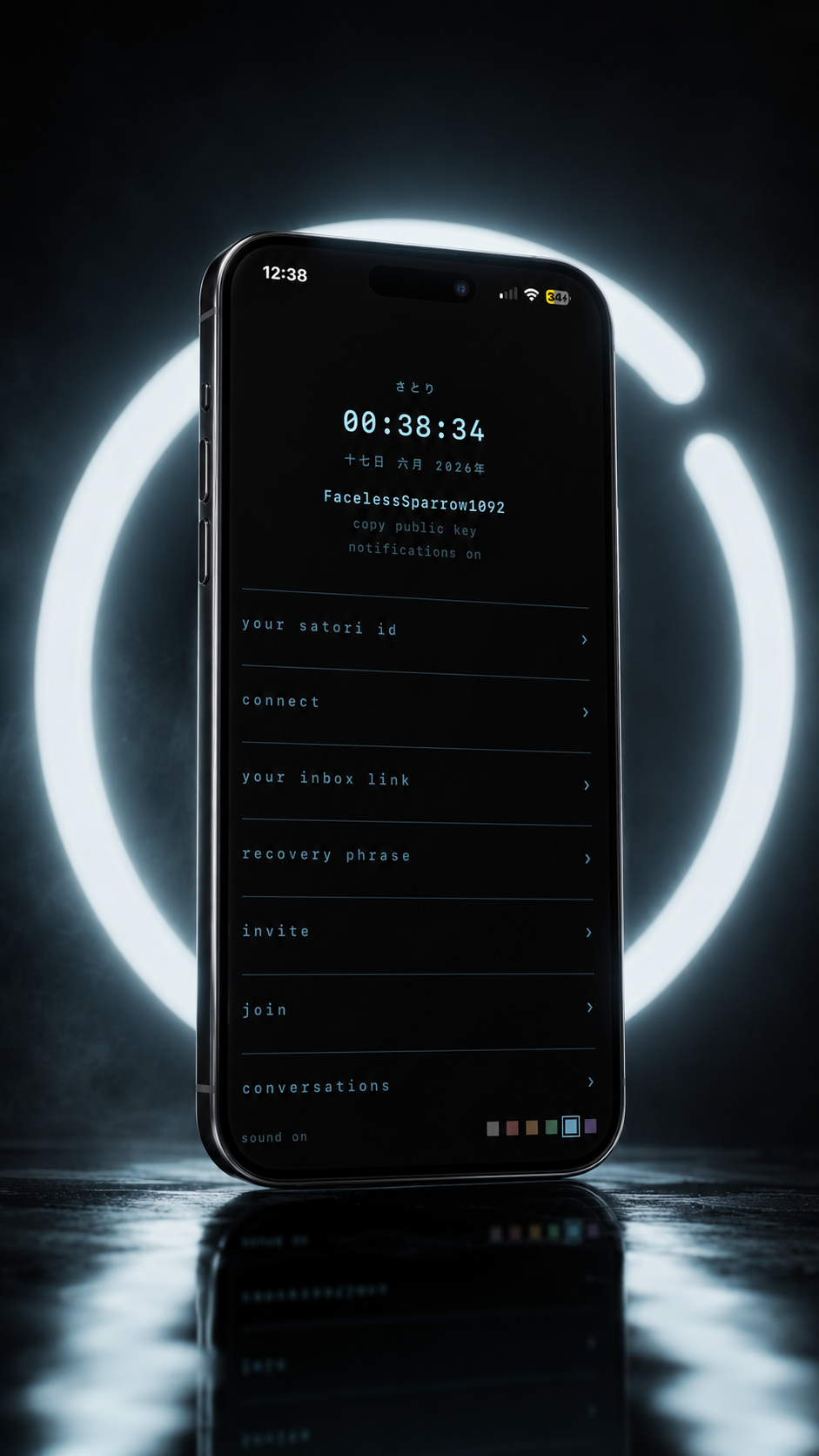
Five steps to privacy
From opening Satori to your first verified conversation takes a couple of minutes, and no phone number, email or name changes hands.
Open Satori and you get an anonymous identity, a private handle and a short Satori ID. There's no sign-up form.
Send your ID, an invite link or a QR code to the one person you want to hear from. Nothing else about you goes with it.
Every message is encrypted on your device before it's sent. No phone number, email or socials involved.
Compare safety numbers with your contact to check the key in your chat is theirs. If the number ever changes, compare again.
Keep your 24-word recovery phrase somewhere safe, and revoke access to a conversation whenever you're done.
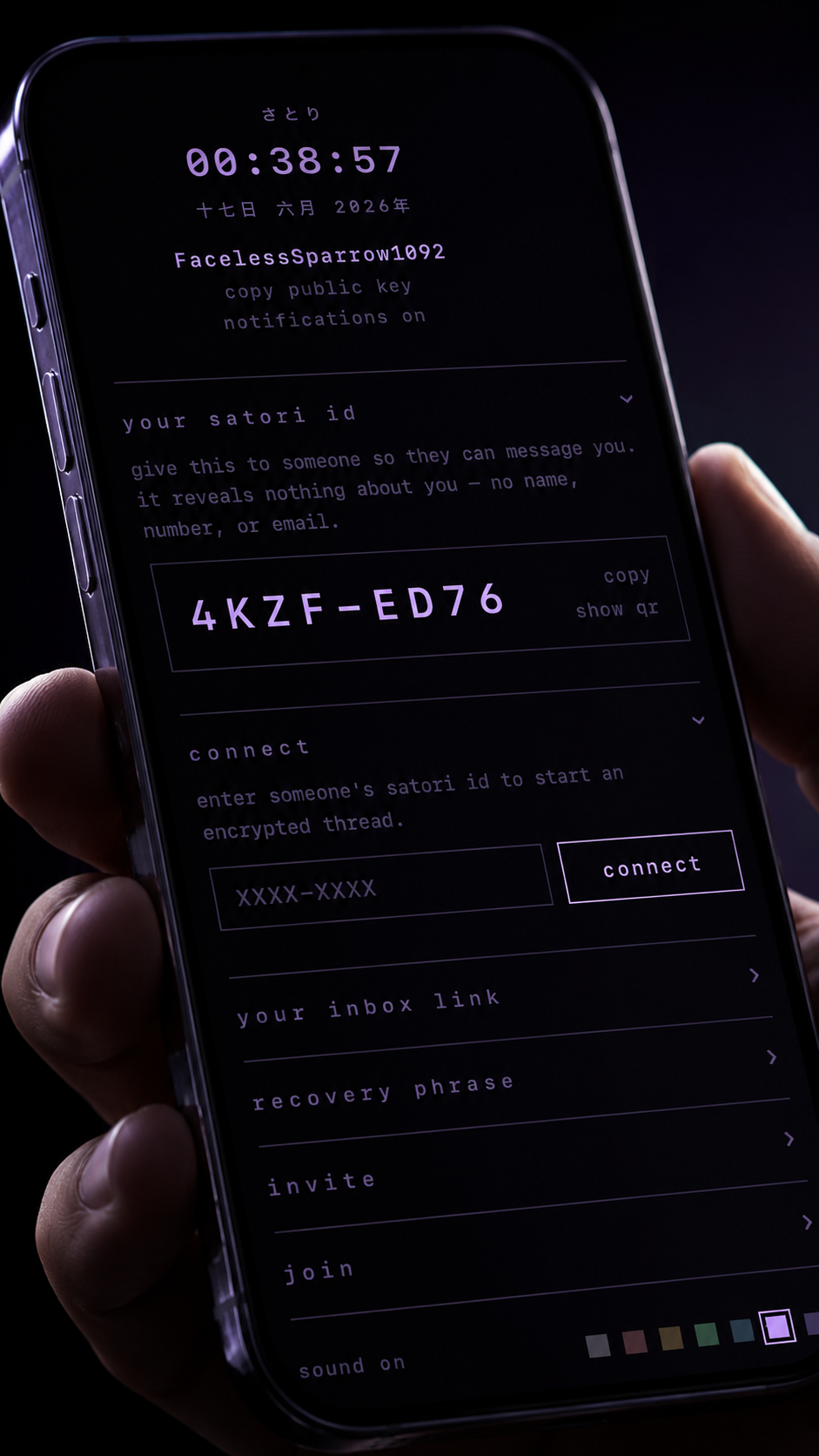
Your Satori ID
Give someone your Satori ID so they can message you. It's short, it isn't tied to your number or your inbox, and it doesn't contain your name or any other personal detail.
what you share
Example ID. Yours is created when you open Satori.
what stays with you
Security by design
Your words are encrypted on your device and only decrypted on theirs. In between, the message itself is unreadable.
Your message is locked before it ever leaves your phone.
Satori's servers only ever see the message text in this encrypted form.
Only the person you're writing to holds the key that can read it.
Encryption protects what you say. It doesn't yet hide which Satori IDs are talking to each other, or when.
Satori never asks for your name, email address or phone number.
Every message is encrypted. There's no privacy setting to forget to turn on.
Your private key is created in your browser and stays on that device. Satori's servers only ever get your public key.
Your recovery phrase restores your Satori identity on a new device. There's no reset link, so write it down and keep it offline.
Check a contact's safety number in person or on a call to confirm the key matches. If it changes later, check again before you trust it.
Close a connection when it has served its purpose. It stops new messages, but can't take back what was already shared.
Made for first conversations
Some conversations shouldn't start with your phone number. Satori lets you talk first and decide later what, if anything, to reveal.
Hiring
Speak with a recruiter or a candidate before either of you hands over a phone number or a full name.
Meeting someone new
Get to know someone on your own terms. Share your Satori ID instead of your number, and move on when you want to.
Read moreabout meeting someone newSources and journalists
Open a line with a source without either side handing over a phone number, an email or a name.
Read moreabout sources and journalistsWhat's next
Today Satori sends messages over the internet. Next, we're building messaging between nearby iPhones over Bluetooth, starting with two phones in the same room and no signal at all.
A feature goes live only after it has been tested on real phones. Anything marked in development or planned isn't available yet.
Anonymous IDs, invites, QR codes, safety numbers and a recovery phrase. Works today over the internet.
A native iPhone app that lets two phones nearby exchange messages with Wi-Fi and mobile data switched off.
Messages that hop through other consenting Satori users nearby, designed to stay encrypted end to end.
Satori picks internet or Bluetooth for you, once both have been properly tested together.
Straight answers
How Satori works, in plain words.
No. Satori creates an anonymous identity for you. People reach you through your Satori ID, an invite link or a QR code.
No. Messages are encrypted on your device before they're sent, and only the person you're writing to holds the key to open them. Satori's servers only ever see the message text in encrypted form.
Your public key and Satori ID, the encrypted text of your messages, which IDs are in touch and when, and, like any website, the network address you connect from. Never your private key or the words you write.
Each conversation has a safety number. Compare it with your contact in person or over a call. If it matches, you're talking to the right key. If it ever changes, compare it again before you carry on.
Use your 24-word recovery phrase to restore your identity on a new device. Keep it offline and private, because nobody can recover it for you.
Satori runs in your browser. On iPhone, open it in Safari, tap Share, then Add to Home Screen to keep it one tap away. A native iPhone app is in development.
Not yet. Today Satori needs an internet connection. Bluetooth messaging between nearby iPhones is what we're building next.
Start in your browser
Open Satori, get your ID and send it to the one person you want to talk to. On iPhone, tap Share and then Add to Home Screen so Satori is always one tap away.